Business Help Guide

How to Add Your Business in 5 Easy Steps

Follow this simple guide to complete your business listing on GhanaBusinesses. Add the right details, upload strong photos, and submit your listing for review with confidence.

Why it matters

Get discovered

A complete listing helps customers across Ghana find your business faster.

Best results

Use real photos

Businesses with good cover and gallery images look more trustworthy and attractive.

Helpful tip

Add WhatsApp

Many customers in Ghana prefer to contact businesses quickly through WhatsApp.

After submission

Admin review

Once submitted, your listing goes for review before it appears publicly on the platform.

Quick navigation

Jump to any part of the guide below.

Step 1

Business Information

Start with your business identity and the right category.

What to do here
  • Enter your business name clearly and professionally.
  • Choose the main category first.
  • Select the best matching subcategory.
  • You can add up to 2 supporting categories.
  • Add the founded year if available.
Pro tip

Choose the closest category match so your business appears in the right searches and sections.

Step 1
Business Information Screenshot
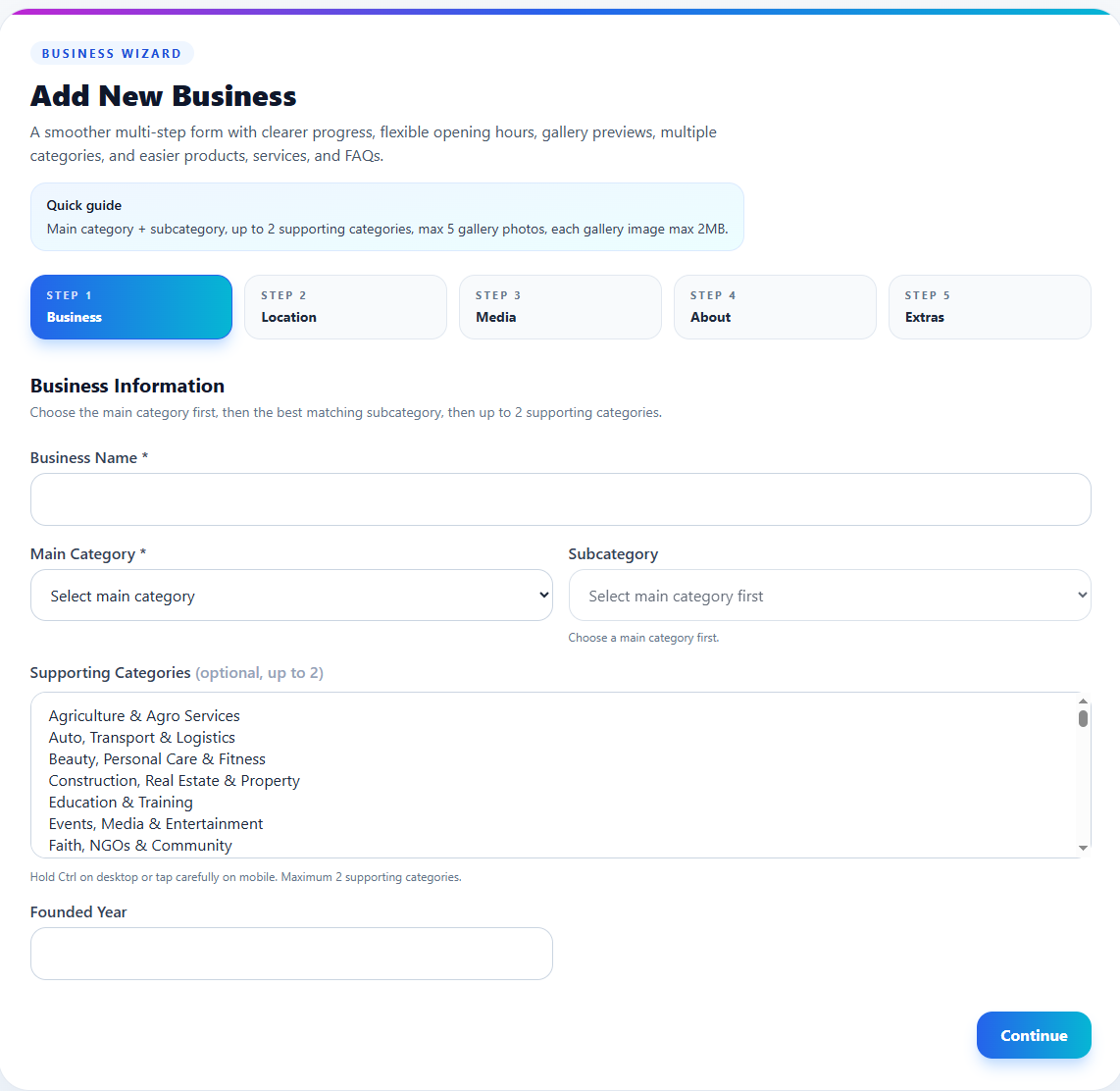
Business Information screenshot
Step 2

Location & Contact

Help customers find and contact your business easily.

What to do here
  • Choose your region and city/town.
  • Add a working phone number.
  • Add WhatsApp if customers can reach you there.
  • Fill in your address and GhanaPost GPS address if available.
  • Set your opening days and times or use the 24/7 option.
Pro tip

Accurate location and contact details increase trust and make it easier for people to call, WhatsApp, or visit you.

Step 2
Location & Contact Screenshot
Location & Contact screenshot
Step 3

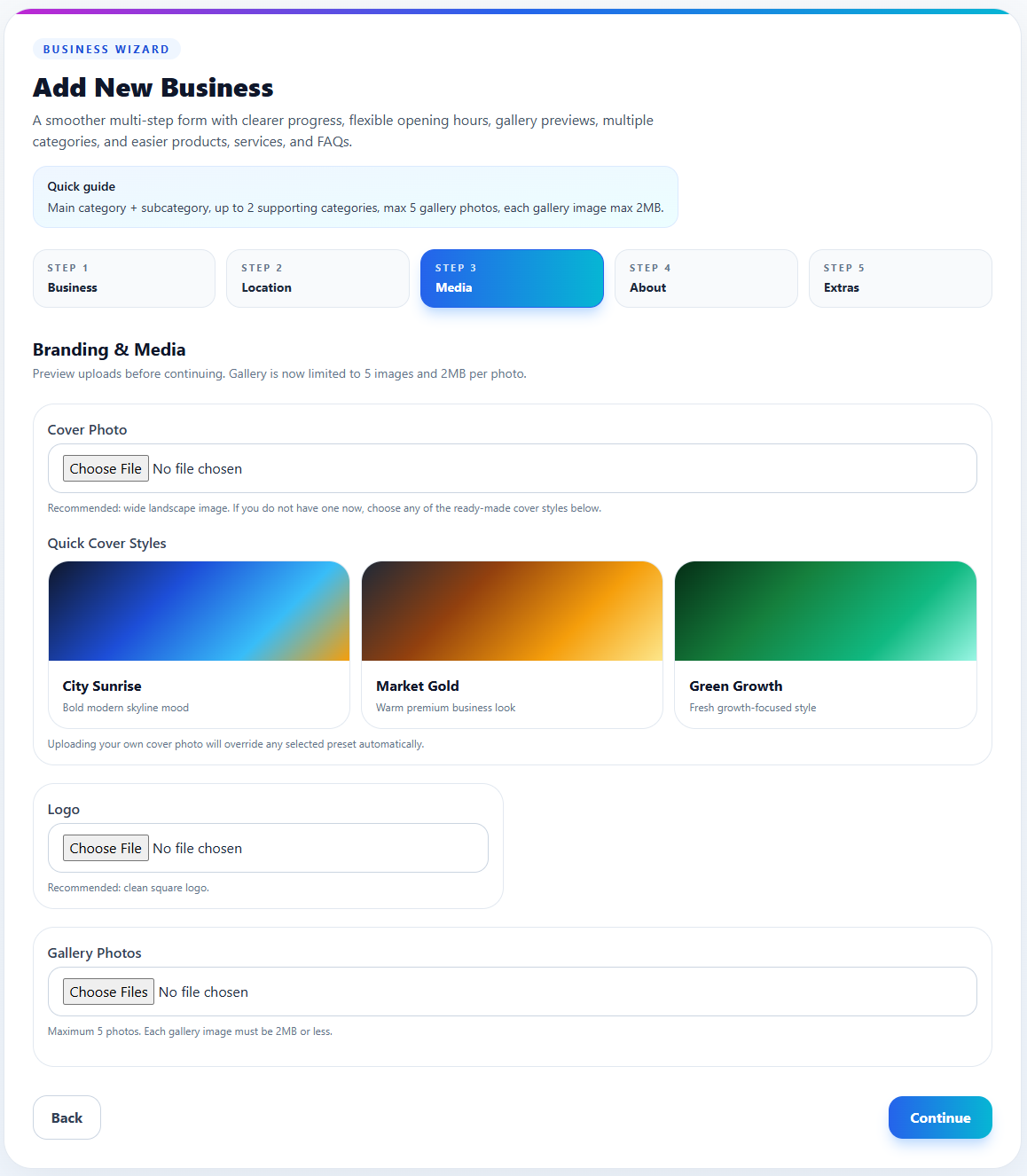
Branding & Media

Make your listing look attractive and trustworthy.

What to do here
  • Upload a cover photo for the top of your listing.
  • Upload your business logo.
  • Add up to 5 gallery photos.
  • Use clear, bright, high-quality photos.
  • You can also choose from ready-made cover styles if needed.
Pro tip

Businesses with strong photos usually get more clicks and better attention from visitors.

Step 3
Branding & Media Screenshot
Branding & Media screenshot
Step 4

About & Social Links

Tell customers what you do and where else they can find you.

What to do here
  • Write a short description that quickly explains your business.
  • Add a fuller description with more details.
  • Include useful social links like Facebook, Instagram, TikTok, LinkedIn, YouTube, Snapchat, and Pinterest.
  • Keep your wording simple and customer-friendly.
  • Focus on what makes your business valuable or unique.
Pro tip

A strong description helps visitors understand your offer fast and improves the quality of your listing.

Step 4
About & Social Links Screenshot
About & Social Links screenshot
Step 5

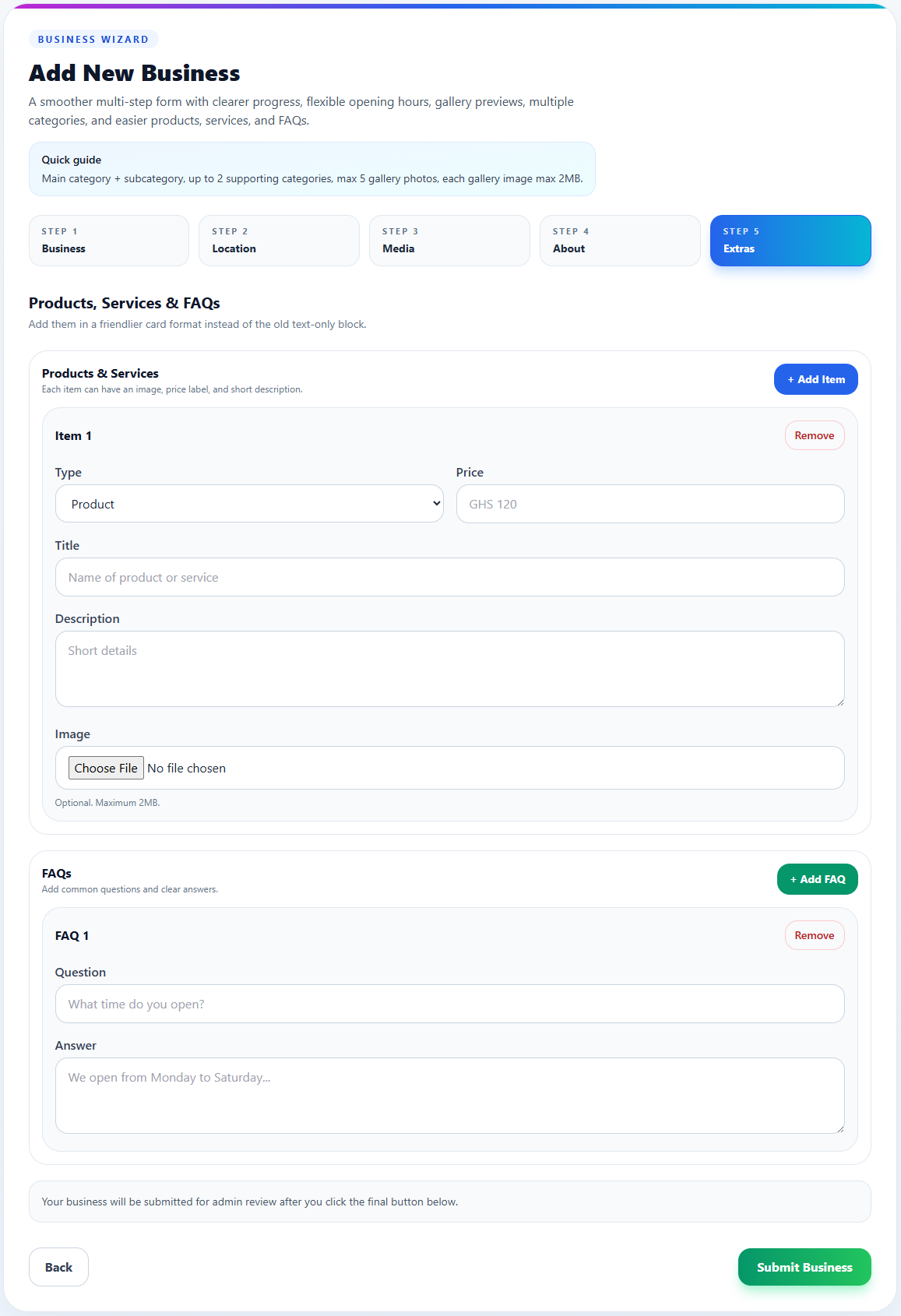
Products, Services & FAQs

Show what you offer and answer common customer questions.

What to do here
  • Add products or services one by one.
  • Include titles, prices, short descriptions, and optional images.
  • Add FAQs for questions customers ask often.
  • Use clear answers that save time for both you and the customer.
  • Review everything before submitting.
Pro tip

Adding prices, services, and FAQs can improve trust and reduce repeated customer questions.

Step 5
Products, Services & FAQs Screenshot
Products, Services & FAQs screenshot

Before you submit

Do this final check to improve your listing quality.

Check your details

Make sure your phone number, WhatsApp, address, and category are correct.

Use good descriptions

A clear short description and fuller explanation make your business easier to understand.

Upload strong images

Photos help your listing look more professional and trustworthy.

Add real services

Products, services, and FAQs make your page more useful to customers.

Need help?

Ready to list your business?

Once you complete the form, your business is submitted for admin review and can then be published on the platform.

Quick reminder

The more complete your listing is, the better it looks to customers browsing GhanaBusinesses.com.